AFFILIATE NEWS AND MEETING DATES
Calender of Events
627 topics in this forum
-
- 27 replies
- 4.1k views
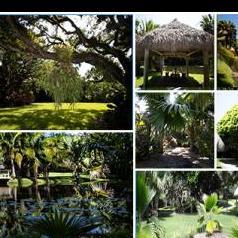
It is that time of year for a great roundup of garden tours. Two beautiful gardens in the Sarasota area. Along with the plant auctions and sale. YOU’RE INVITED!!! Central Florida Palm and Cycad Society’s Annual PALM GARDEN TOURS CUBAN PIG ROAST DEMONSTRATION: HOW TO CREATE YOUR OWN RARE BONSAI PALM PLANT AUCTION AND SALE DECEMBER 7, 2013 10:30- 3:15 TOUR #1 – 2508 19TH St, Sarasota FL – garden of Gina Valentino and Nicholas Georgiades – You’ll think you’re in Hawaii when you see this private half acre of palms, bamboo, bromeliads, aroids, tropical and edible plants carefully planted by the enthusiastic owners. 10:30-NOON TOUR #2 – 1315 38th St, Sarasota FL –…
-
-
cfpacs Central Florida Palm and Cycad Society
by Ken Johnson- 0 replies
- 1.5k views
The Central Florida group has some real momentum these days. Look for their news letter and future events! http://www.cfpacs.org/membership-info/
-

Holiday Party of the South Florida Palm Society 1 2
by Leonard Goldstein- 58 replies
- 6.1k views
December 2nd is the date of the South Florida Palm Society's big Holiday Party. The Society provides a whole roasted pig, as well as sodas, wine and beer*, and attendees are encouraged to bring a covered dish food creation to help make the dining experience complete. The evening features a popular silent auction and a fast-paced auction of plant material, followed by the election of board members. Our auctions serve as the primary source of annual funding for the Society. Accordingly, we hope you will donate a nice plant or two to the live auction. Admission to the party is free for all levels of membership: Life, Family, and Annual. Spouses of Life and Family memb…
-

BPACS November Meeting
by Daryl- 2 replies
- 869 views
Tuesday 26th of November 7:30pm – Milton State School David Tanswell brings us yet another promising presentation on the delights experienced by those attending the last IPS Biennial Pre-tour to Southern Thailand. It should be a very informative and entertaining show. This presentation was postponed from September, and is worth waiting for!
-
Got Palms has really got palms -- come and see
by DoomsDave- 14 replies
- 1.8k views
Hello, all, I'm pleased to announce that we are meeting at two Whittier, CA gardens on November 16, 2013. Garden No. 2 is Sergio, "Got Palms" place. I'm salivating . . . . THE PSSC’s November 16, 2013 Meeting David Bleistein Your PSSC President We are greatly pleased to announce that the PSSC is having its meeting in Whittier at two gardens that have never been visited before. Garden one: Herb and Connie Johnson, at 10513 Messina Dr Whittier, CA 90603-2425. Garden two: Sergio and Maria Burciaga, 13811 Philadelphia Street, Whittier, CA 90601-3803. These two gardens are only a few minutes apart. Both are established gardens where many unusual and rare …
-
Herb Johnson has got palms
by DoomsDave- 0 replies
- 971 views
Well, we had us two great gardens today. A mad swarm of palm-o-philes showed up that the Whittier residence of the Johnsons and, weh-hell, whoo wee, we all swooned. And this was the first garden. Someone please, post some pics! I forgot my camera . . .
-
PSSC November 2013 meeting in Whittier
by DoomsDave- 5 replies
- 1.2k views
THE PSSC’s November 16, 2013 Meeting David Bleistein Your PSSC President We are greatly pleased to announce that the PSSC is having its meeting in Whittier at two gardens that have never been visited before. Garden one: Herb and Connie Johnson, at 10513 Messina Dr Whittier, CA 90603-2425. Garden two: Sergio and Maria Burciaga, 13811 Philadelphia Street, Whittier, CA 90601-3803. These two gardens are only a few minutes apart. Both are established gardens where many unusual and rare species will be seen. There will be an auction and raffle at the second garden. This will be a POTLUCK meeting, so bring a dish to share with others at garden #2, the Burciaga garden…
-
BPACS October Outing
by Daryl- 0 replies
- 979 views
Garden of Nick Craig, ex BPACS President 10:00am start Instructions: * Head to Caboolture. * Get on the D'Aguilar Hwy headed west to Kilcoy/Woodford. * After the turnoff the Bruce Hwy its about 20 ks * After passing through Wamuran its about 10 min. * You pass the Bracalba Quarry and head up the range. * At the top you take the next left...Mc Leod Lane. * Signs will be up...about 1 k along a narrow 2way road, you will turn right then sharp left into my place. I hope to see some of you there! Non BPACS members welcome as usual... Daryl
-
Palm Beach Palm & Cycad Society Fall Sale Oct. 12 & 13
by Caribbean Palms- 4 replies
- 1.3k views
-
south florida palm show and sale fall 2013
by Cape Garrett- 9 replies
- 1.2k views
Does anyone know if this will be happening this year? I see that it was cancelled in 2012. Thanks for any info. Garrett
-
cfpacs CFPACS Florida Meeting Sept 14 ( East Sarasota )
by Mike Evans- 9 replies
- 1.8k views
Time for the Fall meeting. This will be a good one at Bishock's and Presley's farm gardens. These are large country garden settings. Not to be missed. See everyone there. SAVE THE DATE – NEXT CENTRAL FLORIDA PALM & CYCAD SOCIETY GARDEN TOURS AND CARIBBEAN BARBECUE COMING UP SEPT. 14TH CFPACS will meet again on September 14th, starting first at Faith Bishock’s place (IPS Director) in Hidden River east of Sarasota, then at Catherine and Joe Presley’s farm about 10 minutes away. Faith grows many rare and unusual palms. Conversely, at five years old, the Presley place is a work in progress. Along with palms – particularly variegated raphis -- they raise Zebus, th…
-
palm beach palm and cycad
by andyf- 4 replies
- 1.1k views
Having there fall sale or are they following sfps and just 1 a year know?
-
- 9 replies
- 1.2k views
Howdyall: If you signed up to get it, you should soon get it. Here's a link to the table of contents. http://palmssc.org/tidbits-of-the-next-pssc-journal/ I'm salivating for mine . . .
-
PSSC September, 2013 Meeting - POINT LOMA
by DoomsDave- 10 replies
- 1.6k views
Hello, everyone: Our September 21, 2013 PSSC meeting is going to be in the Point Loma section of San Diego. Our next Society meeting will be in the Point Loma district of coastal San Diego. These two gardens are only a few minutes apart. Both are established gardens where many unusual and rare species will be seen. There will be an auction and raffle at the second garden. This will be a POTLUCK meeting, so bring a dish to share with others at garden #2, the Willoughby garden. There will be chairs for the general meeting. Water and soft drinks will be offered at a nominal charge. GARDEN NUMBER ONE: Home of John Collom at 4370 Santa monica Ave, San Diego…
-
Northern Ca Palm Society
by ghar41- 5 replies
- 1.6k views
Upcoming meetings- "Save the Dates!" August 4th- Union City- Nelson Kirk led tour Sept 14th- Wotus Garden in Los Gatos
-

- 2 replies
- 1.5k views
The South Florida Palm Society will hold their next General Meeting on Monday, February 4, 2013 at 7:00 pm. The venue will be at Pinecrest Gardens (formerly Parrot Jungle) 11000 SW 57th Avenue Pinecrest, Florida Craig Morell, Director of Horticulture will be the host showing off this splendid garden. Please bring a flashlight, it is not a well lit night time venue. Auction of plants will follow the tour.
-
Hawaii Island Palm Society
by realarch- 1 follower
- 0 replies
- 833 views
On Friday, August 23, HIPS will be presenting a video, Powerpoint, and slide presentation on last years IPS biennial at Nong Nooch Tropical Garden. Kona Danny will present a short video of the pre-tour excursion and sights of Bangkok and Nong Nooch. Tim Brian will present a Powerpoint / side show focusing mainly on the biennial and the palms of the garden. A portion of the meeting, which is open to the general public, will be a question and answer session on local palm culture. There will be a silent auction and raffle of rare and unusual palms from Thailand. For further information, you can check the website; hawaiiislandpalmsociety.com
-
Jeff Searle Presentation
by Moose- 0 replies
- 1.8k views
Here is an announcement I recieved via E-mail from the South Florida Palm Society. Palm Talk's very own Jeff Searle will be the keynote speaker. There will be a general membership meeting on Monday August 5th, 7:30pm, at Fairchild Tropical Botanic Garden (FTBG). FTBG is located at 10901 Old Cutler Road, Coral Gables, FL. The meeting will be in the Corbin room. Following the meeting, there will be an auction of palms. Please bring your palms for donation to the auction. Light refreshments will be served. Food will be Potluck. Free seeds will be available at the information table. The guest speaker will be Mr. Jeff Searle. Mr. Searle is a L…
-
- 1 follower
- 10 replies
- 1.5k views
July 20, 2013, PSSC Meeting Hello, everyone. Combine: (1) two legendary palm gardens, tended for loving decades by two long-time PSSC members; (2) a location near the beach; (3) a Saturday in July; and (4) a gathering of friends, a potluck lunch, with meat provided, and an auction. You get: the PSSC’s July 20, 2013 meeting, at the homes and gardens of Walter Frey (“Fry”), and Ricardo Luna, both in San Clemente. Garden No. 1: Walter and Marla Frey , 1601 via Sage, San Clemente, CA 92673. The Freys have taken maximum of advantage of their mild coastal climate to experiment with palms from all over the world. Highlights include: (1) truly spectacular blue…
-
BPACS June Outing
by Daryl- 2 replies
- 948 views
The BPACS June outing is to Springbrook and the walking track at Purlingbrook Falls (Circuit). The track is 4 kilometres long and takes about 2 hours to complete. The walk does require a moderate level of fitness as there are several hundred steps along the way. This area has some pristine rainforest, with several species of endemic palms and cycads. The forest could be cool in places, depending on the weather (and it is winter!), so bring along some warm clothing. The scenery is spectacular and passes underneath Purlingbrook Falls which drop more than 100 metres. After the walk we will stop for lunch at one of the local cafes'. For those intending to do the walk, please …
-
cfpacs CFPACS (Central FL) Meeting & Garden Tour June 8th
by Mike Evans- 1 follower
- 9 replies
- 1.8k views
Mark your calendar, June 8th. Garden tour and meeting at Walt & Cathy Darnall's garden in Lake Placid, FL. Everyone is welcome. Plant sale and auction. See everyone there! Central Florida Palm & Cycad Society 1621 Elm Terrace, Lake Placid FL 5.6 acres owned by Walt and Cathy Darnall The Darnalls are a true inspiration -- they successfully grow about 75 species of mostly mature palms, plus a wide variety of tropical vines, shrubs and flowers in open and semi-wooded areas that typically experience one to three freezes a year. They also have a combination greenhouse-shade house for plant propagation and over-wintering of tender container species. W…
-
Palm Society of Northern California
by ghar41- 4 replies
- 1.5k views
Annual Lunch Meeting Date: April 7, 2013 Time: 12:00 - 3:00 PM Location: Flora Grubb Nursery, 1634 Jerrold Ave, San Francisco, CA HOLD THE DATE! Northern California Palm Society Annual Luncheon and Meeting When: Sunday, April 7 from 12:00 - 3:00 PM Where: Flora Grubb Nursery, 1634 Jerrold Ave, San Francisco, CA • 415.626.7256 For more details on Flora Grubb: http://floragrubb.com/idx/index.php NCPS will be holding its annual luncheon on Sunday, April 7th from 12:00 - 3:00 PM at the award winning Flora Grubb nursery in San Francisco. Put the date in your calendar now! More details on the lunch, buffet menu options, fees and how to sign up coming soon.…
-

- 0 replies
- 999 views
Our annual Picnic & Giant Plant Auction will be held on Saturday June 8 this year. Terry & Ruth Lynch are allowing us to have the picnic in their Fabulous garden at 2802 Lake Osborne Dr., Lake Worth. The time will be 8 AM to 2 PM. All members and anyone else that would like to attend are welcome. Please bring Pot Luck covered dish and any kind of plants for the auction. Water, drinks and ice will be provided. Bring an outdoor chair for your seating.
-

New Email for SW FL Palm Society
by SW_FL_Palms- 0 replies
- 791 views
The Southwest FL Chapter of the Palm & Cycad Society has a new email: SW_FL_Palms@outlook.com The old hotmail email no longer works.
-

SFPS June 3 General Meeting - Cuban Palms
by Linda Apriletti- 1 reply
- 1k views
There will be a general meeting at Fairchild Tropical Botanic Garden on June 3rd. at 7:30pm, in the Corbin Room. Fairchild is located at 10901 Old Cutler Rd., Coral Gables, FL. World traveler and SFPS member, Mr. Elvis Cruz will present another exciting program. "Cuba: A Mysterious Island of Beautiful Palms" South Florida Palm Society member Elvis Cruz recently drove 1,500 miles around Cuba, hoping to photograph endemic palms in the wild. He found a beautiful island, friendly people, bizarre economics, conflicted politics, controversial history and many gorgeous palms. In addition to wild palms, he photographed three botanical gardens. Come see and hear hi…









-
Who's Online (See full list)
- MarcusH
- Foggy Paul
- SouthernCATropicals
- Aloha Palms
- rockinrickyfox
- Rafael
- Palm Tree Jim
- Baja Cody
- Aleksandr
- Oakisland1
- ABQPalms
- Joannis
- Jonathan Haycock
- Nico94
- Visgoth
- Janni
- sofiamyrriam
- ibio
- Darold Petty
- Josue Diaz
- N8ALLRIGHT
- Expectorating aubergine
- NC-Key-Bar
- RiverCityRichard
- Than
-
Upcoming Events
No upcoming events found -
Popular Topics This Week
-