
DISCUSSING PALM TREES WORLDWIDE
Identification, Cultivation, Landscaping, General Interest, START HERE
44,498 topics in this forum
-

The FIRST “Weekend-Biennial”: Rio Grande Valley
by IPS President- 1 follower
- 23 replies
- 1.7k views
I am super excited to announce a new travel concept from the International Palm Society. Introducing the “Weekend Biennial”! And our first will be in the Rio Grande Valley this December: Friday night December 12 - Sunday afternoon, December 14, 2025 We’re equally thrilled to partner with the Palm Society of South Texas and their indefatigable president @Chuck M PSST This will be an unequaled opportunity to mingle with fellow Palm-talkers, view palms in habitat, visit private gardens, enjoy lectures by noted botanical experts, and we are particularly proud of the included meals featuring local specialties. Of course there is much more to follow and I …
-
-

Don’t Miss This!
by Cindy Adair- 1 follower
- 2 replies
- 626 views
-

Arenga westerhoutii: the new leaf from above
by pietropuccio- 8 replies
- 402 views
Arenga westerhoutii: the new leaf from above
-

Zone push losers
by happypalms- 0 replies
- 2 views
A couple of zone push losers, the Geonoma is holding up pretty good so far iam hoping it’s just the tropical grown foliage that is suffering, and the same for the wahbo tropical growth burning a bit. But as for the flexuosa iam afraid it might be good night for the flexuosa. You gotta try I have another wahbo that is doing fine and already seen one winter. You don’t know until you try!
-
The good old Arenga engleri
by happypalms- 2 replies
- 11 views
What can you say about the tough old engleri nothing except there super tough die hard palm. Great for screening that neighbour out. Perfect for cold climates, dry tolerant pretty well much sun proof not full blazing sun but tough enough to take the sun and the heat that goes with it. There dotted throughout my garden creating a microclimate as they grow. Great easy to grow palms!
-
You gotta sow them seeds you buy
by happypalms- 0 replies
- 12 views
If you buy them you gotta do them justice too get the best from them. The usual treatment coco coir perlite just slightly damp (squeeze a handful and no drops of water come out with a squishy sound) not too wet, bottom heating 30 degrees Celsius. The pots have a bag placed over them to retain moisture and heat. Then just sit back and wait. The only problem with getting seeds to germinate during winter is you cannot pot up the tropical ones so I just remove them from the heat mats, take the lid or bag of them and dont overwater them. Time will tell how I go from this batch.
-
Ravenea glauca
by happypalms- 0 replies
- 18 views
The good old glauca a stand out palm in any collection. I have five in my garden and all are beautiful palms. Super tough dry tolerant cool tolerant palms sun or shade it doesn’t matter the beauties. These ones are about 24 years old grown from purchased seedlings from rosebud farm. What’s not to love about them!
-
A nice little batch of local and imported seeds
by happypalms- 12 replies
- 91 views
At it again in the seed department. With some exquisite tropicals varieties for my little cultivation brain to work on. And a nice batch of locally sourced seeds for a bit of fun. While they may not look like much now hopefully they certainly will in a few years time if my little cultivation brain has its way.
-

- 2 replies
- 58 views
you're away from home for a day, then you get a surprising message, you've received a present from your friend otto ... or two ... what can I say to that ... thank you very much
-
Pinanga coronata one for any garden
by happypalms- 12 replies
- 114 views
One palm that’s in the collectors books the Pinanga coronata. There is a var kuhlii that’s probably even better than the original coronata. A neat medium sized clumping palm, doesn’t really get messy dry tolerant cool tolerant, will drink whatever water it can get. A good landscaping palm that’s predictable in growth. An all round winner in the palm department!
-

Locals
by Rubberboots- 1 follower
- 6 replies
- 285 views
Hello all! Just curious if there are any members in the Central California area? I'm from Bakersfield, CA. 🤙🏿
-

Fun BB Store Finds today
by Dartolution- 26 replies
- 439 views
Ran by the big orange box today while getting my windshield replaced (ugh). And lo' and behold.... palms (and some neat ones too). First up is the amazing-razzle-dazzle "CLUB BUSTER TROPICAL #12" LOL pretty large Cat Palms: Then found a good sized 5 gallon Bottle Palm! (been wanting one of these this year). Next up was a bit of a shocker! Baby bottles, Baby Ladys, and Baby Latans! So of course I had to come home with a baby red Latan, and Lady palm for $14.98. .
-
Howea forsteriana - already planted
by Mazat- 10 replies
- 109 views
Howea forsteriana - already planted, the second gift from otto ... of course he knew that i had another one in the house. now there are two, one inside and the other outside ... you'll be fine and i'll help you grow it at a later date, was the message sabine gave me from otto this morning. he had just planted it yesterday. he also told sabine the whole story about lord howe island where it is found. i think i underestimated him the so called trachycarpus grower in every way 🤔
-
Trachycarpus princeps seedlings
by happypalms- 21 replies
- 135 views
Slow to germinate and slow to grow princeps. Imported seeds from china a few of years ago. Just sit back and wait on these little beauties. So far there easy to grow I definitely know they are cold tolerant that’s for sure. But at least I have them growing for now.
-

Spear not opening on A. cunninghamiana
by ruskinPalms- 26 replies
- 2.5k views
Hello all, Just seeking advice on my A. cunninghamiana. I have not had great luck with these over the years and I am wondering if my last one is on its way out. It pushed a spear like usual but it never opened up. It is pushing another spear too. It has always opened a new spear before pushing a new one out (actually, all my crown shafted palms are that way). Just wondering if there is some sort of fungus or nutrient deficiency going on. There is a lot of competition there in the landscape bed and it is a rather dry corner of my yard. It has been very dry for about a month now so could be water. I did hand water it good the other day but nothing has changed. Here are…
-

washintonia 🌴 My first ever outdoor planting 🌴
by JohnAndSancho- 25 replies
- 521 views
Volunteer Washies from @Fusca, who I have tagged in 196 posts this week. I didn't sleep, so I figured I'd sweat less if I went out at 7am. NOPE. Anybody who does this for a living has my utmost respect. I broke up lots of grass and gravel, found the brick barrier and started digging along that before I said screw it and just laid the landscape timber down to mark it. I dug my holes way too deep, and they're in a mix of good organic soil and native soil after I shook out inches of grass roots out of it, then drenched everything. It drains. They didn't fall over. They're not under the eaves of the roof to catch condensation and rain, they'll get plenty of sun, and I w…
-
Lawn fungicide that is safe for palm roots
by Christopher Dillman- 1 follower
- 18 replies
- 221 views
My fescue lawns have come down with a fungus that needs to be sprayed. I do have nearby mature queen palms, with roots that extend underneath these lawns. I'm reading even the organic lawn fungicides kill both harmful and beneficial fungi in the soil. My initial reaction is to skip the fungicide before I lay down the new top soil and grass seed in order to protect the palms, and just take my chances. However if anyone knows what I should look for in a fungicide that would be safe for palm roots? If you have a brand recommendation that would be even better. Thank you.
-

help with cat palms
by user.10394059- 16 replies
- 539 views
im in Sacramento California (zone 9b) and I planted a cat palm about a month ago on the north side of my house.. The leaves have burnt up even though it only gets about 4-5 hours of sun, is this just transplant shock because it was greenhouse grown?(bought from home depot)
-

- 7 followers
- 1.6k replies
- 99.6k views
Today wandering the garden as I often do while taking a break from work I noticed that my Beccariophoenix madagascariensis seems to be starting to put on a little size. I can’t remember exactly when I planted it. It’s been about 6 years I would guess. It was a small 5 gallon. Over those years it has consistently put out new leafs, but it never really seemed to get too much bigger. While still considered small, it seems to finally be putting on some size. 5 gallon bucket in 2nd pic for scale. So what palm in your garden caught your eye today? It doesn’t have to be your favorite, just something that stuck out to you today.
-
- 5 replies
- 44 views
More joeys and a few humillis some tough old palms in this bunch. The only thing I can fault about joeys is that they need water and more water, and sometimes they just up and die for no real reason that I can figure out. But as for the humillis Iam pretty confident they are bulletproof, and cool tolerant. So another batch of palms for the collection that’s looking like a never ending story!
-

Germinating Hyphaene thebaica
by MichaelB- 2 followers
- 13 replies
- 212 views
Received these two Hyphaene thebaica seeds and am super excited! In researching germination of this species it was evident that mechanical scarification is a must for improving chances of successful germination. I am not surprised, as the outer seed coat is like hard plastic. I used a coping saw to trim off the top and bottom of each seed, then made cuts around the the remaining seed coat. Hopefully this yields good results. Also, is it just me or do these things smell really good? Like pancake syrup.
-
- 18 replies
- 422 views
a friend of us brought us this, but it was only described as Livistona he said. but what is it exactly?
-

Gorgeous Arenga micrantha
by DoomsDave- 1 follower
- 15 replies
- 289 views
Stepped out back and kinda let out a yell. It’s about 30 fee 10 m tall.
-
- 9 followers
- 177 replies
- 9.5k views
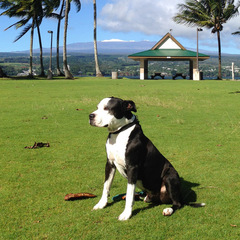
I've been meaning to start this thread for awhile now, but have been too busy with the work that this new property has needed to have much free time to post about it. We are rained in here on the Big Island for a few days, so the time has come to finally document this project and what will soon be our new home here on the Big Island of Hawaii. Quick recap, our family moved from Fallbrook, CA to Hilo, Hawaii in 2017. We have a great home in town on 1/2 acre of land. You can read all about the creation of that garden here. It's amazing how quickly you can fill up 1/2 acre here, especially when there was already some existing fruit trees and landscaping that we ha…
-
A little AI debate
by happypalms- 23 replies
- 359 views
Ok with AI apparently becoming the supreme being that is going to handle all the world’s problems and solve them. Well this little example is a contradiction to what they have big plans for us in mind coercion through the internet. One AI states not a palm misspelled, the other states you can propagate it. Who is feeding this machine of shear stupid nonsense. Yes AI has a place in the world for sure to a certain degree, but on the other hand a computer is only as good as the human brain behind it!












-
Who's Online (See full list)
- David B
- Palmiz
- HolyNewBee
- comic097
- Tyrone
- Subwoofer
- happypalms
- El_Chino
- pietropuccio
- parishilton
- Eden Seeker
- elandybarr
- Marco67
- Rubberboots
- A.G.palmguy
-
Upcoming Events
No upcoming events found -
Popular Topics This Week
-
