Skip to content
View in the app

A better way to browse. Learn more.

PalmTalk

A full-screen app on your home screen with push notifications, badges and more.

To install this app on iOS and iPadOS
  1. Tap the Share icon in Safari
  2. Scroll the menu and tap Add to Home Screen.
  3. Tap Add in the top-right corner.
To install this app on Android
  1. Tap the 3-dot menu (⋮) in the top-right corner of the browser.
  2. Tap Add to Home screen or Install app.
  3. Confirm by tapping Install.

Leaderboard

Popular Content

Showing content with the highest reputation on 06/18/2012 in all areas

  1. Ken Johnson
    1 point
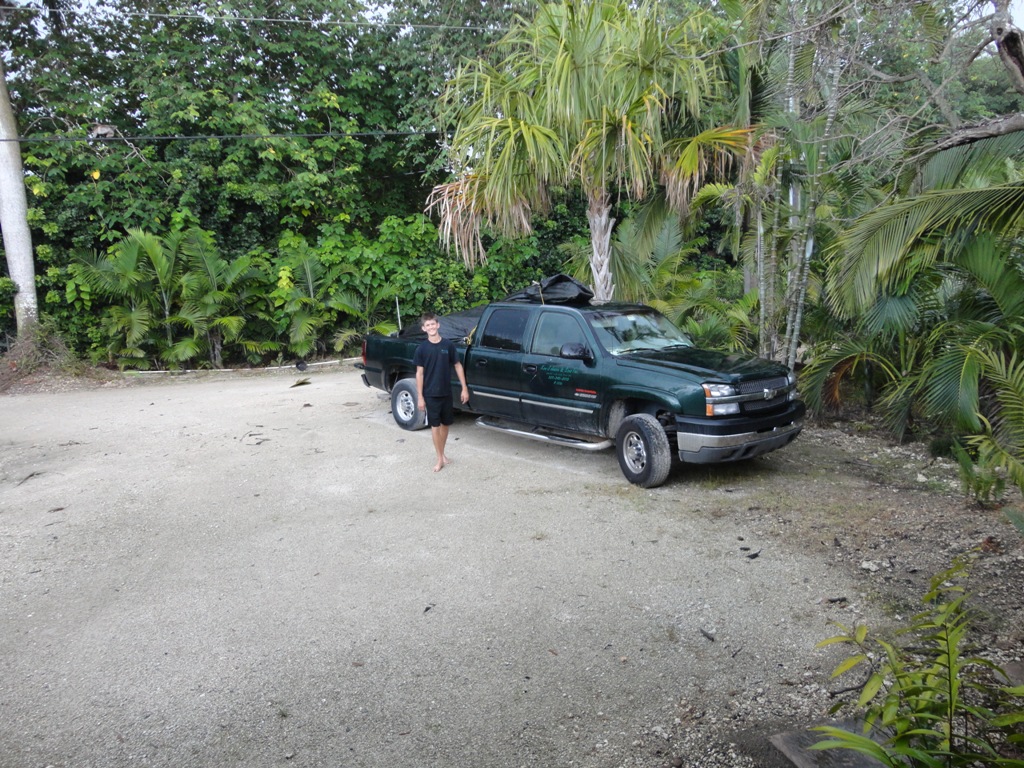
    My son Conrad and I loaded my truck with palms and cycads and we were ready to go. We left at 0500 Saturday morning. On the way we stopped and dropped off a palm for JD From The OC and then saw CFKINGFISHER to drop off some plants he was going to send to another forum member. Just outside the hotel in St Pete. I unloaded an old man palm to a new client that surfs here.

Account

Navigation

Configure browser push notifications

Chrome (Android)
  1. Tap the lock icon next to the address bar.
  2. Tap Permissions → Notifications.
  3. Adjust your preference.
Chrome (Desktop)
  1. Click the padlock icon in the address bar.
  2. Select Site settings.
  3. Find Notifications and adjust your preference.