
Skip to content
View in the app

A better way to browse. Learn more.

PalmTalk

A full-screen app on your home screen with push notifications, badges and more.

To install this app on iOS and iPadOS
  1. Tap the Share icon in Safari
  2. Scroll the menu and tap Add to Home Screen.
  3. Tap Add in the top-right corner.
To install this app on Android
  1. Tap the 3-dot menu (⋮) in the top-right corner of the browser.
  2. Tap Add to Home screen or Install app.
  3. Confirm by tapping Install.

WELCOME GUEST

It looks as if you are viewing PalmTalk as an unregistered Guest.

Please consider registering so as to take better advantage of our vast knowledge base and friendly community.  By registering you will gain access to many features - among them are our powerful Search feature, the ability to Private Message other Users, and be able to post and/or answer questions from all over the world. It is completely free, no “catches,” and you will have complete control over how you wish to use this site.

PalmTalk is sponsored by the International Palm Society. - an organization dedicated to learning everything about and enjoying palm trees (and their companion plants) while conserving endangered palm species and habitat worldwide. Please take the time to know us all better and register.
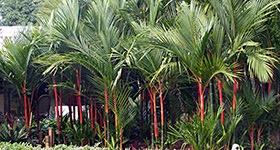
guest Renda04.jpg

The Garden of Len Geiger - Image Gallery

Featured Replies

  • Author
m7aZGmI.jpg

kxEgg1L.jpg

yCU8aen.jpg

LO1oVSw.jpg
  • Author
y3mTrpw.jpg

ZpxyI9R.jpg

jqhgF0l.jpg

tGakgEx.jpg
  • Author
J1qXhoU.jpg

b4SbthW.jpg

oy1OIQb.jpg

R1HQOxI.jpg
  • Author
7z8HuD6.jpg

0psaLs1.jpg

VFyL3L8.jpg

wEI3k26.jpg
  • Author
6DNjlyS.jpg

xmrdyLu.jpg

zeKPCxF.jpg

IQ5jEvc.jpg
  • Author
bKswo8T.jpg

7e4duaH.jpg

pRJWuPr.jpg

gzfqUY8.jpg
  • Author
4GrLejh.jpg

e4R7gJB.jpg

1g19E0c.jpg

A3TPOCZ.jpg
  • Author
d14rSjG.jpg

nZfX9qS.jpg

nd567wN.jpg

rDela1F.jpg
  • Author
S8hFBE8.jpg

n3CUOFf.jpg

HOrwAqL.jpg

zSM17cL.jpg
  • Author
qzztDip.jpg

D7j7tkt.jpg

FjadLY2.jpg

VD7FFc6.jpg
  • Author
V9PuUAo.jpg

EsStfCN.jpg

jDTd7In.jpg

KJK8o4v.jpg
  • Author
fweDhRg.jpg

mTxec19.jpg

0Fz2Sxf.jpg

KyFvXqv.jpg
  • Author
JB6P7Ck.jpg

jA9vFz5.jpg

8rklGAv.jpg

YEsIaDN.jpg
  • Author
xi17Vm9.jpg

LzACwoQ.jpg

DywFdxs.jpg

fbldPtd.jpg
  • Author
etX61U6.jpg

s450TtC.jpg

AitOMuh.jpg

oeq5sgX.jpg
  • Author
QiqeLz8.jpg

61yWaiv.jpg

JMXYPmk.jpg

VBXugeZ.jpg
  • Author
7Mb3sIg.jpg

RjifByC.jpg

EXiV7tt.jpg

ywryH0j.jpg
  • Author
FQYo7EK.jpg

1Lrg5SY.jpg

NDMKIsX.jpg

0JuoJTA.jpg
  • Author
ITUmFcT.jpg

RaHWQNV.jpg

aSWBUZx.jpg

Pa373hJ.jpg
  • Author
1UQGQha.jpg

vgLRDw8.jpg

LyNe0a6.jpg

mEfZNIs.jpg
  • Author
L8ieqm4.jpg

ERm99Cm.jpg

LeA9HoP.jpg

jNiGzwA.jpg
  • Author
W2xkOAj.jpg

rsM72yc.jpg

H0DPrC0.jpg

W9fsYtU.jpg
  • Author
IQ05DRu.jpg

GBRtmrY.jpg

4WCERu4.jpg

LZ1LUpJ.jpg
  • Author
vs2v4t5.jpg

WDMvANy.jpg

UtSwpmn.jpg

gQC7JOX.jpg
  • Author
nGkXSWU.jpg

VNjtdC9.jpg

B4r4cJd.jpg

8FtsRI5.jpg
  • Author
SU0XDxn.jpg

N92oLUl.jpg

xSwLqZl.jpg

QZhZvaV.jpg
  • Author
FAJuIGt.jpg

CQJHo5l.jpg

wQ5urL7.jpg

acnosTQ.jpg
  • Author
iA3Sngk.jpg

7nhJIXR.jpg

Mr6p0m4.jpg

E2aIggv.jpg
  • Author
Kc5IuoO.jpg

XQUQLiG.jpg

0PvDQGy.jpg

c2vmrez.jpg
  • Author
g94qHtK.jpg

elTxvI7.jpg

PBgK5lO.jpg

iXtUPCe.jpg
  • Author
HaY3CCL.jpg

FFhXcY1.jpg

QrYnMYZ.jpg

oZYzJ36.jpg
  • Author
KWNhY7i.jpg

qrtuU2V.jpg

KdAnIJK.jpg

CJPZU09.jpg
  • Author
TAwnk79.jpg

Nvh05yn.jpg

cGVGmtK.jpg

JYN3zlX.jpg
  • Author
PepT1wj.jpg

ob94Pjt.jpg

Hw20VI0.jpg

7gcdDFk.jpg
  • Author
04AWmCa.jpg

WOdjgBc.jpg

VdFYUPe.jpg

gQ0jHFi.jpg
  • Author
VENosJW.jpg

KqLoMzT.jpg

RNGlH5j.jpg

MVyGTdV.jpg
  • Author
q0CdnmL.jpg

2fniYw6.jpg

vUWvyGU.jpg

U6zvh5q.jpg
  • Author
2lqF1bn.jpg

CKivDCi.jpg

VzQmkaG.jpg

UCo9wK9.jpg
  • Author
FE5d5yn.jpg

1XAxc9d.jpg

pl4r7gv.jpg

y7RQXvX.jpg
  • Author
0xKIKSQ.jpg

xPi5KX7.jpg

cN8LMo7.jpg

wwL0t79.jpg

Create an account or sign in to comment

Account

Navigation

Configure browser push notifications

Chrome (Android)
  1. Tap the lock icon next to the address bar.
  2. Tap Permissions → Notifications.
  3. Adjust your preference.
Chrome (Desktop)
  1. Click the padlock icon in the address bar.
  2. Select Site settings.
  3. Find Notifications and adjust your preference.