
Skip to content
View in the app

A better way to browse. Learn more.

PalmTalk

A full-screen app on your home screen with push notifications, badges and more.

To install this app on iOS and iPadOS
  1. Tap the Share icon in Safari
  2. Scroll the menu and tap Add to Home Screen.
  3. Tap Add in the top-right corner.
To install this app on Android
  1. Tap the 3-dot menu (⋮) in the top-right corner of the browser.
  2. Tap Add to Home screen or Install app.
  3. Confirm by tapping Install.

WELCOME GUEST

It looks as if you are viewing PalmTalk as an unregistered Guest.

Please consider registering so as to take better advantage of our vast knowledge base and friendly community.  By registering you will gain access to many features - among them are our powerful Search feature, the ability to Private Message other Users, and be able to post and/or answer questions from all over the world. It is completely free, no “catches,” and you will have complete control over how you wish to use this site.

PalmTalk is sponsored by the International Palm Society. - an organization dedicated to learning everything about and enjoying palm trees (and their companion plants) while conserving endangered palm species and habitat worldwide. Please take the time to know us all better and register.
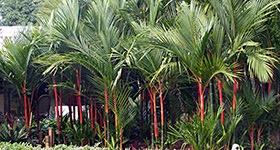
guest Renda04.jpg

The Garden of Sergio (GotPalms) - Image Gallery (July 15, 2017)

Featured Replies

Here is an image gallery of the garden of Sergio ( @Got Palms ) and Maria Burciaga in Whittier, California, taken on July 15, 2017 during the PSSC tour. This garden has many large Dypsis, Caryota, Royals, Chambeyronia, New Caledonia species, numerous cycads, and much much more, all placed and perfectly maintained in a master-planned landscape with an amazing pool and waterfall.

This is one of those gardens that makes you go weak at the knees. There are 192 images below - prepare yourself for the immense spectacle that magically unfolds right in front of your eyes (your internet speeds permitting...), all in full Pandovision™ :D.

Please note: The photography I have produced and posted in this and other threads here in Palmtalk are for your enjoyment, meaning they are for private, non-commercial use only, per user agreement of this forum. Unless prior arrangements are made with me, these images are not to be used for commercial purposes, including advertisements, or distributed or published in publications unrelated to IPS without credit. Thank you.

-----------------------


yRfjXmO.jpg

1eM41Xr.jpg

KMsqma8.jpg

caGu7Pk.jpg
 

  • Author

9TF1TmL.jpg

baq9lvn.jpg

5stIQ3f.jpg

nyPyymC.jpg
 

  • Author

E7G0vNx.jpg

VGajCY3.jpg

X1kTy97.jpg

xDJVP6i.jpg
 

  • Author

4aXsWKr.jpg

SHaRqPV.jpg

3C6WD8Z.jpg

hdwL7xu.jpg
 

  • Author

MaHC3Dd.jpg

XKS6QPb.jpg

n88Z0dY.jpg

OLO3zfF.jpg
 

  • Author

3f6J0sj.jpg

VWJqQBB.jpg

No0bsfc.jpg

CDnxnFm.jpg
 

  • Author

K1q4C6x.jpg

f41DODf.jpg

aMTn6Fn.jpg

NcJSOBP.jpg
 

  • Author

D6p3H11.jpg

80Rh31X.jpg

xq5Due6.jpg

zE3hm2h.jpg
 

  • Author

7UMp7PS.jpg

I1EIcAJ.jpg

j3wl4nd.jpg

sgvHYD6.jpg
 

  • Author

NJ7xXSZ.jpg

CzbxBlO.jpg

XJIzwdH.jpg

TY0DxUP.jpg
 

  • Author

Jv2dRdP.jpg

1fieJz6.jpg

v3vLRJm.jpg

O5LzPEv.jpg
 

  • Author

Oc9p70w.jpg

5YNar3g.jpg

Agq8oaD.jpg

lqiV3y8.jpg
 

  • Author

7a3NAcz.jpg

FISPaUz.jpg

F4WD2e9.jpg

0b1ZVh7.jpg
 

  • Author

RUzKU3T.jpg

V1dJLcO.jpg

inARV3G.jpg

0odY4xv.jpg
 

  • Author

Zzi930K.jpg

rEADj2d.jpg

ySImJxW.jpg

uE9neIM.jpg
 

  • Author

ArMYJ5e.jpg

VGxcuzv.jpg

N3Qy9jg.jpg

c37eDsr.jpg
 

  • Author

Y3u76bS.jpg

pITnhAV.jpg

sibHRku.jpg

dO6JgwG.jpg
 

  • Author

1MMrcBD.jpg

lwYRwuD.jpg

BycDwL2.jpg

fq7jQ4o.jpg
 

  • Author

mbvnINl.jpg

XsHCqDq.jpg

LlPHPCw.jpg

s3mwEuS.jpg
 

  • Author

YhKPJKl.jpg

J6VLxsh.jpg

w7JCxL8.jpg

6ylrlFT.jpg
 

  • Author

EEBojMb.jpg

qTfQ43k.jpg

ES8XgVr.jpg

JD1TiwM.jpg
 

  • Author

vyPjGYv.jpg

FiYErQY.jpg

VjzKjkE.jpg

AGf1T7P.jpg
 

  • Author

DVNuS1G.jpg

iyuaLlA.jpg

cEVeEhv.jpg

z9dhjh6.jpg
 

  • Author

HOBWowV.jpg

74OUEjG.jpg

2ufyTgi.jpg

nl0qsWQ.jpg
 

  • Author

yrRQzzY.jpg

OuSZQS2.jpg

FGGF7Lx.jpg

ctDeHXQ.jpg
 

  • Author

XJkoIxS.jpg

TlNkbvV.jpg

giCI0GN.jpg

MgKxXRC.jpg
 

  • Author

MiE0HIb.jpg

p10lWxq.jpg

fWPzDLd.jpg

frbzxwM.jpg
 

  • Author

lnBPGpN.jpg

1KPd46d.jpg

WZB4hPk.jpg

3fHK35R.jpg
 

  • Author

73e1FZW.jpg

th3DOGF.jpg

I4fGE7x.jpg

oFSWeDl.jpg
 

  • Author

rM3DmgY.jpg

7lKGDFu.jpg

fhcl0z7.jpg

9jfmPKt.jpg
 

  • Author

C1bBtIt.jpg

11ijSeV.jpg

AWa9jQO.jpg

kNWwG0U.jpg
 

  • Author

aD5rgwV.jpg

A0bklEM.jpg

t82bHcq.jpg

nQ2aPF6.jpg
 

  • Author

5VlfQPK.jpg

26PgBOZ.jpg

GP017el.jpg

5kL0fJ4.jpg
 

  • Author

hWvOIl2.jpg

RQsZD1H.jpg

ZroXrSv.jpg

dAdQCaX.jpg
 

  • Author

Baik1z5.jpg

CaS6cKO.jpg

imhYGgE.jpg

7uApItI.jpg
 

  • Author

Fh1Hxkv.jpg

O8bPOxc.jpg

6o48czF.jpg

LLZ30cx.jpg
 

  • Author

pPv2bCO.jpg

K7Slcmt.jpg

VyswqRZ.jpg

KoiXXnw.jpg
 

  • Author

QnMrxbZ.jpg

459kNJ0.jpg

JLXhiLN.jpg

ljaUv4g.jpg
 

  • Author

BplX2fF.jpg

6ycGakc.jpg

i6I1zBb.jpg

jmaWXvg.jpg
 

  • Author

KNHdW4a.jpg

t940MMq.jpg

pLD43Rl.jpg

sSHGlLM.jpg
 

Create an account or sign in to comment

Account

Navigation

Configure browser push notifications

Chrome (Android)
  1. Tap the lock icon next to the address bar.
  2. Tap Permissions → Notifications.
  3. Adjust your preference.
Chrome (Desktop)
  1. Click the padlock icon in the address bar.
  2. Select Site settings.
  3. Find Notifications and adjust your preference.