
Skip to content
View in the app

A better way to browse. Learn more.

PalmTalk

A full-screen app on your home screen with push notifications, badges and more.

To install this app on iOS and iPadOS
  1. Tap the Share icon in Safari
  2. Scroll the menu and tap Add to Home Screen.
  3. Tap Add in the top-right corner.
To install this app on Android
  1. Tap the 3-dot menu (⋮) in the top-right corner of the browser.
  2. Tap Add to Home screen or Install app.
  3. Confirm by tapping Install.

WELCOME GUEST

It looks as if you are viewing PalmTalk as an unregistered Guest.

Please consider registering so as to take better advantage of our vast knowledge base and friendly community.  By registering you will gain access to many features - among them are our powerful Search feature, the ability to Private Message other Users, and be able to post and/or answer questions from all over the world. It is completely free, no “catches,” and you will have complete control over how you wish to use this site.

PalmTalk is sponsored by the International Palm Society. - an organization dedicated to learning everything about and enjoying palm trees (and their companion plants) while conserving endangered palm species and habitat worldwide. Please take the time to know us all better and register.
guest Renda04.jpg

The Garden of Jawad Nesheiwat - Image Gallery

Featured Replies

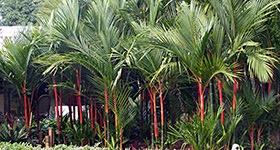
I stopped by Jawad's ( @NESH ) awesome garden in Mission Viejo today and took some pictures in full Pandovision™ :D. It was sprinkling rain when I showed up, which really brought out the colors and textures. It was great to finally see it in person. Thanks Jawad!

hMECe8n.jpg

3UwFyax.jpg

5Mc1Qso.jpg


  • Author

Z9OjyrP.jpg

A6hDZdv.jpg

xiiToOs.jpg
 

  • Author

ggIsyNq.jpg

BfmzU2x.jpg

qkXzipC.jpg
 

  • Author

1Subyqi.jpg

DV5h08R.jpg

juzohNo.jpg
 

  • Author
0IDLm69.jpg
 
yCaXH9q.jpg
 
EaCtErb.jpg
  • Author
Pstdxkd.jpg
 
q49dZ6C.jpg
 
sH0i8TZ.jpg
  • Author
3xDg18S.jpg

nCTjWP3.jpg
 
1czjCYf.jpg
  • Author
mvq73kn.jpg

1a7lroY.jpg
 
qCY4UjP.jpg
  • Author
spj1daJ.jpg
 
h1wBORK.jpg
 
By5mvxx.jpg
  • Author
wZzW3I3.jpg

5zHWvk1.jpg
 
pslpsSG.jpg
  • Author
eEquYaT.jpg

XneIspL.jpg
 
EsheD3P.jpg
  • Author
HvhIMPT.jpg

vBcbib2.jpg
 
TZ8kYx8.jpg
  • Author
1WPdloV.jpg

vvqMWlr.jpg
 
aMYYNn5.jpg
  • Author
q26sGtF.jpg

YtbMBGT.jpg
 
3x8kEWg.jpg
  • Author
6YaEWdr.jpg

LDytjre.jpg
 
AIv3ksw.jpg
  • Author
0F3Ejcm.jpg

qQRJixf.jpg
 
TO8RQid.jpg
  • Author
n3QaW8q.jpg

XXPF11g.jpg
 
373SXAg.jpg
  • Author
W3XJTHi.jpg
 
ZFgs9xh.jpg

3pP0izr.jpg
  • Author
YeR1mvE.jpg
 
Z2e4EPK.jpg

Zamy0Y8.jpg
  • Author
Jc5dOup.jpg
 
ZAdHWzT.jpg

tZD1bvA.jpg
  • Author
Gkpyic7.jpg
 
DWGJLdo.jpg

dW0n6pm.jpg
  • Author
Lv6lCrO.jpg
 
ijw5XIN.jpg

CKXGqOj.jpg
  • Author
b7JWl5W.jpg
 
Brg3rYB.jpg

XyTZAk0.jpg
  • Author
TxPTUDa.jpg
 
cn8od4b.jpg

YkwHEsf.jpg
  • Author
NhKHQbP.jpg
 
iUmhpgf.jpg

bm8ror7.jpg
  • Author
uz1Apm8.jpg
 
2aS7UT0.jpg

CXtUeLM.jpg
  • Author
6aPGvRs.jpg
 
JS8NGVA.jpg

saG1yxb.jpg
  • Author
ykgEowm.jpg
 
OnY10R2.jpg

PcLOueX.jpg
  • Author
DpBz1F0.jpg
 
n8bd0fg.jpg

pu81Squ.jpg
  • Author
3LLO9L7.jpg
 
f4kxgJH.jpg

ue9fFvs.jpg
  • Author
kjWeTDQ.jpg
 
F2fVV4l.jpg

hnpJcii.jpg
  • Author
FF95wxL.jpg
 
3onf2fy.jpg

qcoOrNi.jpg
  • Author
AF9hUwP.jpg
 
vhw5ykd.jpg

nyoC8hM.jpg
  • Author
a8CTXHM.jpg
 
gpz6MFn.jpg

YFWpzLT.jpg
  • Author
hSWbUVz.jpg
 
VPGUucH.jpg

DAk4Zuu.jpg
  • Author
smfWvaG.jpg
 
0nxWgam.jpg

Pn2NJri.jpg
  • Author
hRljLUm.jpg
 
ezOAZuv.jpg

uYpiIDa.jpg
  • Author
uYbpLuW.jpg
 
QBNHtPD.jpg

DU1U88Q.jpg
  • Author
f5syIMe.jpg
 
sq65eqa.jpg

wSWaM8F.jpg
  • Author
dJ6OEhC.jpg
 
5g7ctiS.jpg

GeZkVaN.jpg

Create an account or sign in to comment

Account

Navigation

Configure browser push notifications

Chrome (Android)
  1. Tap the lock icon next to the address bar.
  2. Tap Permissions → Notifications.
  3. Adjust your preference.
Chrome (Desktop)
  1. Click the padlock icon in the address bar.
  2. Select Site settings.
  3. Find Notifications and adjust your preference.