
Skip to content
View in the app

A better way to browse. Learn more.

PalmTalk

A full-screen app on your home screen with push notifications, badges and more.

To install this app on iOS and iPadOS
  1. Tap the Share icon in Safari
  2. Scroll the menu and tap Add to Home Screen.
  3. Tap Add in the top-right corner.
To install this app on Android
  1. Tap the 3-dot menu (⋮) in the top-right corner of the browser.
  2. Tap Add to Home screen or Install app.
  3. Confirm by tapping Install.

WELCOME GUEST

It looks as if you are viewing PalmTalk as an unregistered Guest.

Please consider registering so as to take better advantage of our vast knowledge base and friendly community.  By registering you will gain access to many features - among them are our powerful Search feature, the ability to Private Message other Users, and be able to post and/or answer questions from all over the world. It is completely free, no “catches,” and you will have complete control over how you wish to use this site.

PalmTalk is sponsored by the International Palm Society. - an organization dedicated to learning everything about and enjoying palm trees (and their companion plants) while conserving endangered palm species and habitat worldwide. Please take the time to know us all better and register.
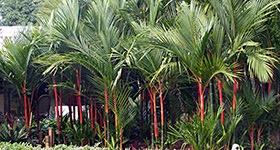
guest Renda04.jpg

Reception and Tour of Fairchild

Featured Replies

IPS Biennial attendees and all members of the South Florida Palm Society are invited to a reception and tour of Fairchild Tropical Botanic Garden on Friday, September 29th, 2006, from 5 to 7 p.m. at the FTBG Jean Ellen Sheehan Visitors Center ballroom.  The reception will begin at 5 pm with refreshments provided by the South Florida Palm Society and a brief welcoming address from FTBG Palm Conservation Program staff, followed by a narrated tram tour from 6 to 7 pm of Fairchild’s world famous palm collection.  The event is free.  RSVP by September 20th, 2006 to Tricia Frank at 305-667-1651 ext. 3391 or pfrank@fairchildgarden.org.

Create an account or sign in to comment

Account

Navigation

Configure browser push notifications

Chrome (Android)
  1. Tap the lock icon next to the address bar.
  2. Tap Permissions → Notifications.
  3. Adjust your preference.
Chrome (Desktop)
  1. Click the padlock icon in the address bar.
  2. Select Site settings.
  3. Find Notifications and adjust your preference.