


Leaderboard
-

gyuseppe
IPS MEMBER1Points3,142Posts -

Mauna Kea Cloudforest
IPS MEMBER1Points5,248Posts
Popular Content
Showing content with the highest reputation on 04/01/2013 in Posts
-
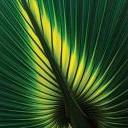
1 pointNo, no, this isn't about a new religion although I am sure a bunch of you worship your palms. Did you know that the cells in palm trees have the longest life span of any plant or animals? Palm trees are truly fascinating, this is a must read. http://www.science20.com/news_articles/palm_tree_eternal_life-99472 "The authors focused their review on palm trees because palms have living cells that may be sustained throughout an individual palm's lifetime, and thus, they argue, may have some of the longest living cells in an organism. As a comparison, in most long-lived trees, or lignophytes, the main part, or trunk, of the tree is almost entirely composed of dead, woody, xylem tissues, and in a sense is essentially a supportive skeleton of the tree with only an inner ring of actively dividing cells. For example, the skeleton of Pinus longaeva may be up to 3000 years old, but the active living tissues can only live less than a century." So as you care for your palm trees, don't forget that a cell in the trunk of a palm tree is alive and going to be around for probably the lifetime of the tree. This sure puts a whole different twist on palm tree care. Better baby those beauties.1 point
-
1 pointreally near! Okay, now that is easy! H.Forsteriana resemble very to a Chambeyronia !1 point