COLD HARDY PALMS
Selecting and growing palms for colder climates.
4,197 topics in this forum
-
Sabal Minor "Louisiana" in Zone 7 1 2
by NCFM- 6 followers
- 50 replies
- 3.9k views
I just potted some sabal minor "Louisiana" seedlings I purchased online from a palm nursery in Florida. I've done some research on this variety and my plan is to overwinter them inside and then plant them in the ground next May. If any of you have had any experience with this specific palm in I would appreciate some advice/tips. Thanks Here's a picture of them:
-
-

Windmill palm
by Farmerboy920- 2 replies
- 191 views
Can I start fertilizing my windmill palms now or wait until the end of march? Would 6 tablespoons of fertilizer be ok for some this size ? Thank you input is much appreciated
-

Sabal minor, let’s see them!!! 1 2
by teddytn- 4 followers
- 42 replies
- 2.2k views
Sabal minor are so underrated. Everyone that can grow them should. Everyone regularly on the cold hardy section should have as many as possible. Being native to so many different states and areas there’s so much diversity in just this one Sabal species. I love growing them, but I also love seeing them. Let’s see some pics!!!
-

- 1 follower
- 14 replies
- 504 views
In British Columbia - Canadian west coast. Warmest place in Canada in winter. Maybe one week of snow. I wrap my 5-year old windmills all winter: burlap then 8-foot wooden frame covered in plastic - with ample air circulation, so no rot. Works like a dream but I will soon be unable to winter-box due to unmanageable height. I have heard that the main threat here in winter will not be the small amount of snow, but the ample rain we get right through into spring, which will saturate the palms' core and lead to rot. If, in future years, I can't shelter my palms through into spring due to their height, how do I protect the core from rain and core rot?
-

Any Chance for My Robustas?
by WacoPalm- 2 followers
- 11 replies
- 457 views
The deep freeze in central Texas from mid-January did a number on my Washingtonia Robustas. They have about 3 years in the ground, about 5 years old total, 3-4' trunks. I protected with frost cloth and C9s, which usually works, but we lost power for nearly 8 hours while temps were in the low teens. Initially they seemed to be alright and were pushing new green growth when the temps rose. I was keeping a watch for fungal growth, saw no signs and so did not treat the trees. I just returned from a ten day trip out of town to find mold and fungus in the heart of one of the trees. I gave a tug and got a spear pull. There is still some green in the heart area. I have sprayed p…
-

- 1 follower
- 18 replies
- 741 views
There isn't any foot traffic around that palm , but the fronds just collapse after a while . They are still green so I hate to cut them off . I could fertilize them and maybe it needs some micronutrients . Does anybody have experience with this issue ? Thanks , Will
-

Is there such a thing???
by JohnAndSancho- 4 replies
- 228 views
I'm sure the answer rhymes with babals, but is there a palm I could plant out here that tolerates 8b winters, crazy droughts, and wet feet all at the same time? We've had a ridiculous amount of rain so far this year, and I've come to realize that the native soil in the yard either a) doesn't drain worth a damn or b) we've just really had tons and tons of rain. Everything is a swamp and every step sounds like wringing out a sponge.
-

Sabal minor ‘Louisiana’
by Stevejr- 1 follower
- 7 replies
- 313 views
Found this seller on eBay. Before I purchase this, has anyone bought from this seller, and is this Sabal an actual Louisiana?
-

The Needle palm Fairy showed up today
by Chester B- 1 follower
- 14 replies
- 497 views
I got these beautiful 3 gallon needle palms delivered today. Just because I'm in zone 9B doesn't mean I don't appreciate these palms. Big needles can add that real jungle effect to any garden and I have some wet spots so these should love it. The bonus is they'll be a care free palm any time some cold weather comes my way. These came from Mail Order Natives out of Florida. They were very reasonably priced and shipping was quite affordable considering the weight of the two packages. It looks like they can get 4 per package so it might've been cheaper if I did it that way. Definitely recommend them as I have purchased from them in the past. They have saved me ye…
-
(1).thumb.png.52d8529b18d1f63df72e395203693a68.png)
COLDEST DWARF COCONUT
by mirandamavrogianni- 1 follower
- 3 replies
- 519 views
What is/are the most cold hardy DWARF * coconut variety(ies) you are familiar with? Have these varieties been successfully grown? If so, where in the world? Bonus thought: I'm curious about where across the entire planet is the northern most coconut grown and what variety it is. Thank you for contributing to this discussion!
-

trachycarpus fortunei seedling cold hardiness Palm and other exotics damage from January deep freeze in Portland OR - but Trachy seedlings survived just fine
by Palmy Portlander- 7 replies
- 387 views
In mid-January we had our third polar vortex in 15 months, something I cannot remember happening in Portland, at least in the last 30 years. It was preceded by a damaging wind storm. Even as our summers become noticeably hotter and longer (almost like Sacramento in the 1980s) and our zones are shifting up, climate change means we are also getting these extreme cold weather events as the polar jet stream become les stable. It , makes me wonder about the future of some of the exotics growing here that are native to more evenly temperate locations. Last year we had two polar intrusions. One of them included strong, very cold and dry winds (high teens Fahrenheit)…
-

- 4 followers
- 150 replies
- 8.5k views
I'm sure most people who view the forums have probably seen this palm pop up before and I'll be heading out to see the palm in person sometime soon but the building was torn down and thankfully they didn't remove the palms, but the filibusta/filifera will be really taking the test of winter this year without that extra heat from the side wall! It's free standing now and I'm nervous for it but I hope it makes it! Just thought I'd give an update on it since I think it's the biggest I think in Fayetteville unless somebody is hiding more somewhere else I'm also glad they didn't remove any of the sabals because that would be a such a crime because of how slow they grow a…
-
- 2 replies
- 166 views
I'm trying to jumpstart my Washy so the Xmas lights are on under those blankets . I want to experiment and see if I can get it to look respectable earlier than late May . Learning is always a part of this hobby ! Will The sooner it looks like this , the better .
-

Early spring?
by Brandon James- 1 follower
- 1 reply
- 164 views
With the looks of an early spring, the sabals have fared better this winter than the last few. Most change was a frost cloth over the top during rain/snow thru the winter. I added one more sabal this year. The trachy is already showing growth from last December.
-
Sabal Louisiana Growth 1 2
by Allen- 3 followers
- 40 replies
- 2.3k views
Here is the progression of my Sabal minor "Louisiana". That is the best ID we can come up with for this palm 2018 2019 2020 2021 2022
-
.thumb.jpg.304b32ca4398a111edf4ac525048111e.jpg)
General A&Q about Palm Cold Damage
by MarcusH- 1 follower
- 2 replies
- 178 views
What are signs of cold damages ?
-

Nova x Waggie
by steve617- 1 follower
- 12 replies
- 358 views
Here is a few new pics of my Nova x Waggie. Ive raised these from seed and this winter I've kept them in my indoor greenhouse and they have almost doubled. I have to say I really don't know that much about. T. Nova outside more slender and read not as cold hardy. These seem to have done great I'm guessing their around 4 yrs old from seed.
-
T. Fortunei with creeping trunk
by Stefanus- 1 follower
- 18 replies
- 1k views
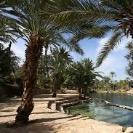
Hi all, I discovered and joined this community today and I have a question regarding my Trachycarpus that I purchased years ago. I noticed that this palm, which was sold as “Fortunei”, has a sort of creeping trunk. I haven’t seen it before at any other Fortunei, does this happen occasionally? Or could it be that I bought another variety of Trachycarpus, for instance a Takil? Please see some photos of the palm below, also notice the photo from 2017 that I found (I had the idea that its growth went quite slow). For what it’s worth, I’m located in a 8a/8b zone. Thanks in advance! Stefan
-
Selecting a palm Tree for my area
by Ivan604- 25 replies
- 896 views
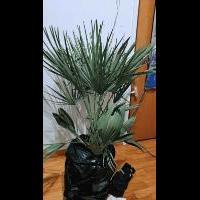
Hi I am from the Van BC area and i was wondering if y'all got any tips for selecting a palm tree? Hopefully someone from a similar zone (8b). Sure I've seen Trachycarpus Fortunei flourish around the nicer neighbor hoods around, like in Downtown. Never seen any other varieties from what I recall. I think the Wash. Robusta could do decently given that I winterize it.
-
Butia underappreciated for cold hardiness? 1 2
by fr8train- 1 follower
- 64 replies
- 1.8k views
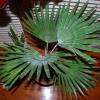
I've been noticing that after this recent freeze CIDP are all cooked, as are most Washingtonias, barring the most filifera dominate hybrids. Yet at the same time the few Butia I know that grow around here still have green leaves. Some have drooped since the freeze, but they generally look a lot better many other palms. Here are a few recent photos from around here that I've taken to illustrate what I mean. These all made it though the big freeze of 2021 with no protection too, in what's probably the coldest part of the San Antonio area.
-
Stuff on CIDP
by Keys6505- 2 replies
- 148 views
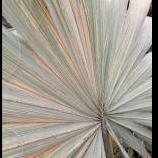
Can anyone ID? It's on a CIDP at my dad's house in The Villages FL that I grew from seed that I collected from Catalina Island about 9 years ago. They're hard with a black dot inside. Look familiar to anyone?
-
- 9 followers
- 172 replies
- 11.4k views
Please post your palm protection photos for those who ask this time of year. Post your photos and what zone you've tested this in. Here are mine for 7a Trachycarpus Thermocube, Mini lights and temp sensor Wrapped 1.5 oz dewitt frost cloth Circle fence cover wrapped again in frost cloth, staked down. Box method with plastic, notice angled roof, ample vents, blackout fabric on sun side. Pegboard for top
-

Zone 5 and 6 palm growers 1 2
by Coldpalms- 2 followers
- 61 replies
- 1.4k views
Anyone out there growing palms outside in zone 5 or 6?
-

- 36 replies
- 774 views
7 years after building a home here in rural Northeast Oklahoma, a change at work has caused me to look for new work opportunities. I have secured a new job in the San Antonio Texas area, and we will likely be moving before the end of April. Most of my in-ground palms are needles and some smaller sabal minors. Although I hate to see them go, I plan on leaving them all behind for whoever buys our home. The only in-ground palm that I am considering taking with me is my Sabal birmingham. I grew it from seed from the last batch of seed produced by the infamous birmingham that grew for 20 years in Tulsa before it died. I had a handful of the seeds given to me, but th…
-

All good things come at a cost
by ChicagoPalma- 5 replies
- 219 views
For 70s and 60s here in Chicago we need to pay off Mother Nature with a 10 percent tornado chance, 30 percent hail and wind chance and snow tomorrow. How lucky am I 😞













-
Who's Online (See full list)
- Deej
- JRVL
- Colin1110082
- masatepino
- The7thLegend
- NCFM
- DAVEinMB
- Alex
- Silas_Sancona
- Looking Glass
- Peachs
- sonoranfans
- UK_Palms
- Gville Palms
- floridaPalmMan
- STLOUISPALMGUY
- aztropic
- Ltapia
- Hilo Jason
- Zeeth
- ExperimentalGrower
- Billeb
- Than
- tinman10101
- mike in kurtistown
-
Upcoming Events
No upcoming events found -
Popular Topics This Week
-