COLD HARDY PALMS
Selecting and growing palms for colder climates.
4,197 topics in this forum
-
Sabal x Brazoriensis seeds
by Stefanus- 2 followers
- 35 replies
- 1k views
Hi all, I finaly managed to get hold of some Sabal Brazoriensis seeds but I wasn't expecting them to be this large. I've only germinated S. Minor and "Lousisiana" before and I've never had them this size. Can anyone confirm that Brazoriensis has such big seeds? Picture below shows the seeds next to Sabal minor seed. Thanks in advance! Stefan
-
-
7A Mule progress over years 1 2 3 4
by Allen- 6 followers
- 130 replies
- 8.8k views
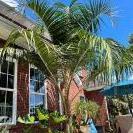
Progress of the 7A mule. Pretty happy with how it is doing so far. In winter it took some frond spotty damage but outgrew it by now. It went thru 9F in protection. 2017 2019 2020 2021 2021 Getting fat trunk Protection Method 2020
-

Trachy Nainital male inflorescences
by WSimpson- 0 replies
- 138 views
This is the view outside my window . I thought it looked fairly dramatic with those yellow inflorescences . This palm would be a lot fuller if that 1 cold snap winter before last hadn't zapped it good . Should start trunking again now that it has a relatively full crown . Will
-

Real Good Looking Cold Hardy Palms
by jvblack930- 35 replies
- 7.2k views
Hello, I recently visited Florida and I was inspired. I saw all the beautiful Palm Trees, and I wanted one for my home in Memphis. I have some experience with plants, but not much. I was researching what Palms could live here, and I found this site as well with all the information, but, the trees that are options were not good looking at all. Windmill Palm is the worst looking Palm tree I have ever seen, Needle palm looks like a bush and Dwarf Sabal Palm looks weird, and so does Jelly Palm. The only one I might think about is European Fan Palm. But, my real question is, I want some real good looking palms like the tall ones in Florida with nice fan leaves or the feather o…
-

Queen palm growing in southern NC
by Alex Anthony- 12 replies
- 5.3k views
Not sure if I got the image to load but this is a pure Queen palm in Wilmington,NC. I bought it at HD in 2012. It has lived indoors in various pots and locations until we moved here 4 years ago and planted it outside. It has survived winters on the south side of the house with the usual Christmas lights and wrapping on the coldest ( 19 deg F ) nights. It is impossible to protect the fronds so they burn extensively but come back as the weather warms. It is as high as the top of the roof now and the trunk is huge at the base. I'm posting it because I think it's notable for it's size at this latitude. The other two large plants are an Angel Trumpet and a Robusta that was ab…
-

Sabal Bermudana sprouts
by JohnAndSancho- 2 followers
- 13 replies
- 443 views
My plan was to check this baggie and ask y'all when I should pot them up, but I guess the answer is uhhh, now. A couple of them have poked holes in the baggie. I've read these want deep pots - would a gallon jug with the top cut off be adequate for a while? Would 2L bottles be better as it'll be a hair taller? How many should I throw in per bottle? These sprouted REALLY fast, just threw some sphagnum in a baggie, dropped the seeds in, threw them on the heat mat.
-

Trachycarpus WagnerianusXPrinceps 1 2
by Aldert- 2 followers
- 77 replies
- 12.2k views
For some years I was trying to make this cross. After being hold up by some one who had the Princeps male flowering for some years already, I finally succeeded in pollinating my Waggy with pollen from a dutch palm enthousiast. The result off sowing some seeds in January, is so far two seedlings. I think that the seeds behave as the true Princeps, a few will germinate in the first year, and the others the years to come.
-

Sabal sps?
by Quincy John- 1 follower
- 9 replies
- 178 views
This is a population of palms found mainly around a cypress pond and its drainage. It is present on the surrounding hills too but the oldest trunking palms are by the water. It looks like a the tallest Sabal louisiana I’ve seen, but seems too costapalmate. It is at least a naturalized population. If it’s not native, they must have been planted many decades ago. How long does it take for S. louisiana to trunk in the understory? What do you think? This is north of I-10 in Jefferson county Florida well north of the coast where you find native Sabal palmetto.
-

Jubaea or Phoenix, which one is hardier? 1 2 3 4
by MSX- 4 followers
- 120 replies
- 8.2k views
Hello everyone! I've heard from many so many sources that Jubaea chilensis is the hardiest of all pinnate palms. Lately, I've been browsing Dave's Garden, and according to it Jubaea is hardy to zone 8b, while lesser known Phoenix theophrasti is hardy to 7b. There is 1 zone difference, too much for a statistical mistake. I created a quick summary Excel chart with the hardiness info of some popular cold-hardy palms from Dave's Garden web site. And I have two questions to our comminity now - how reliable is information from Dave's Garden web site, and if choosing between Jubaea and some Phoenix species, let's say Phoenix theophrasti for example, what would be a better choice…
-
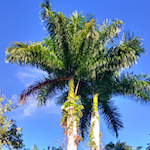
Palms around Lake Norman North Carolina
by Mr.SamuraiSword- 1 follower
- 34 replies
- 1.9k views
Last summer I visited the northern part of Lake Norman, and was surprised at the large number of palms in the area. I always thought north of Charlotte and you might see occasional windmills, but I found a surprising number of other palms too. These are all in Western Mooresville (near where 150 goes to the bridge) and Sherrills Ford. Heres a video i made showing some of these, as well as more I couldn't get good photographs of. By far the most popular was windmills, on some roads they were the sole palm used, some look like they've been there a while. Next up, the Sabals. Surprisingly I found a fair number of mature establ…
-

Where to buy mail order needle plams?
by mraroid- 1 follower
- 5 replies
- 148 views
Hello... A year or so ago, I found a mail order place in the mid west (maybe the east?) someplace. They sold needle palms, Windmill palms and some Sabal minor palms. I bought a needle palm and a Sabal minor. Now I need to buy a few more. But I can not find this palm nursery again. The prices were fine and they sold healthy palms. I live in Salem Oregon. Can anyone here refer me to this palm nursery? All they sell palms and, and just a few diffrent types. Any links or help appreciated, mraroid, Salem, Oregon USDA Zone 8 or 8b depending on who you talk to. Thanks so much.
-
- 1 follower
- 7 replies
- 563 views
Hello folks... I live in Salem Oregon, USDA Zone 8b. I made my first trip to Raintree tropical nursery this morning. I took some cash and my checkbook. I was not sure what I wanted, but I hoped that I could buy some larger palms, rather than some in one gallon pots. I am 73 years old, so I don't have thirty or forty years to plant a smaller palm and watch it grow. I met Steve and what a nice person he is. I ended up with a 5 gallon Trachycarpus wagnerianus, and a five gallon Sabal minor. I told Steve I would be back when I had more money. I wanted to buy a larger Jubaea chilensis & maybe a Butia odorata/capitata. But the size of pa…
-
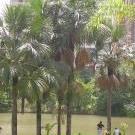
Nice color on Syagrus romanzoffiana
by Fusca- 10 replies
- 344 views
Spotted this at a local big box store yesterday. Not an unusual palm but unusual color on the leaf bases! I've never seen this much color on a queen palm before. The fronds look normal - in fact everything about the palm looks typical except for the color. It was the largest and most beefy of the entire lot so it really stood out.
-

Sabal Sanctuary in East Texas 1 2
by Sabal King- 4 followers
- 53 replies
- 1.6k views
So I wanted to document the official start of the Sabal sanctuary here at our homestead in ETX. We are officially per the USDA zones (8b, with 9a just a county and a half away), but I don't trust any of these and put us at a solid 8a with 8b characteristics. For example, it still gets cold here (not as cold as DFW) but very little ice, and the freeze durations are much shorter. All in all, it's a great place to grow some Sabals. I'm dedicating a roughly 6.5 acre area at the back of our homestead which sits on the other side of a branch that is spring fed and flows most of the year (either above ground, or always below ground). While doing some exploring here in M…
-
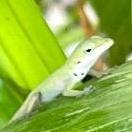
Cocos nucifera ID help?
by Dwarf Fan- 1 reply
- 132 views
Found this one on N. Padre Island, TX. It looks to be in a pot that could be dragged inside to avoid extreme cold I guess. It has been here several months at least (possibly longer) but I don’t know anything else about it’s history. Is this a Cocos nucifera or something else?
-

Help!!! Ok 4 palms planted in ground on my lawn 2 had fond pull and they look pretty sad.
by Bill Nanaimo- 1 follower
- 11 replies
- 54.4k views
I have 4 palms planted in the ground in my front lawn, 2 have fond pull and look pretty sad they other 2 don’t look to well put don’t have the fond pull, I have 4 more in the back yard that are in garden beds that are doing great, I’m wondering if this might be because I let the grass grown right up to the trunk which might have lead up to too much water or mositure being around the trunk, as the ones in the backyard all have stones around them. whats your thoughts or ideas ???
-

To fertlize or to not fertilize?
by ChicagoPalma- 5 replies
- 165 views
My not fully established palm is not looking the best and it looks like just some nutrient deficiency. and it has sorta spread onto one of the more spear-centered fronds. Anyways just wondering what fertilizer and when to fertilize. Our temps for highs will be lukewarm now, so highs and low 60s most to everyday for highs and a couple 50s.
-

Livistona Chinensis
by Borosbobo- 20 replies
- 656 views
Hey! Can you guys help me? Im a bit confused about the cold hardiness of the Livistona Chinesis palm because if I google it in english it says -10C° but if I google it in Hungarian it says -2C° and also in a nursery they said -2 as well
-

What does my Needle Palm need
by Appalachian Palms- 1 follower
- 21 replies
- 2.4k views
This needle palm is 25 years old and is 9 feet tall and has a girth of 50 feet. It has several "pups" under her shirt with 3 and 4 foot trunks. I have never fertilized the palm and I need to do something beneficial. Any recommendations appreciated, Thank you
-

- 1 follower
- 6 replies
- 236 views
Hello, When do you guys remove the winter protection (boxes in my case) from your zone 8 palms? Like, at what minimum or average (between day & night) temperature?
-

Does anyone have a Butia odorata silver? 1 2
by Dartolution- 3 followers
- 45 replies
- 2.7k views
Does anyone on the forum have a mature tree of Butia odorata 'silver'? One with exceptionally blue/silver fronds? Thanks
-
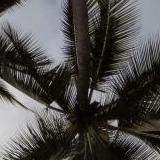
Jubaea chilensis in Seattle - Washington Park Arboretum - 1 2
by Trustandi- 2 followers
- 68 replies
- 4k views
I just visited the park to see the Jubaeas. They are getting much bigger than the last time I went there. I wish mine were that big already.
-

- 1 reply
- 122 views
I had planted this Mexican fan palm in the ground on February 19th (which was probably not a good time) and it was actually doing really well for about a month. I noticed a week ago that the center spear was turning brown. I had fertilized it probably a week and a half before I noticed the brown. We have had temps down to the higher 40’s but no lower. This one shown below was planted next to it a week later, was also fertilized, and has been doing perfectly fine since.
-

Sabal ID….
by RJ- 1 follower
- 15 replies
- 363 views
So I’ve been watching these sabal’s grow for at least 15 years. I can’t put my finger on what they are. They both exhibit the same trates, are surrounded but what I would consider normal sabal’s in FL. The seed stalks are short… literally about two feet tall. Seeds are small. I don’t have anyway to measure them presently but can when I get home. What do the sabal guru’s think?
-

Watering schedule for new palms
by romeyjdogg- 1 follower
- 7 replies
- 758 views
Hey all, I just had the following planted in my backyard: 2 Sabal Palmettos (around 8 foot trunks), a Butia x Jubaea (2 foot trunk), and 4 Sabal Minors (no trunk). It seems my top layer of soil is rocky clay, then below that is black clay. In any event, since the bottom of these holes is clay, how often would you recommend watering these newly planted palms? The guy that planted them said once a week because the water will just sit in the hole, like a cup. What are your all's thoughts?


.thumb.jpg.304b32ca4398a111edf4ac525048111e.jpg)











-
Who's Online (See full list)
- Billeb
- DAVEinMB
- Deej
- ASHCVS
- Silas_Sancona
- NC_Palms
- Ventri
- Rustyguys
- sgvcns
- amazonman
- rhallford826
- Palmsy
- Frond-friend42
- ellidro
- kylecawazafla
- Rob123
- tarnado
- DoomsDave
- Looking Glass
- miamicuse
- Baja Cody
- Swolte
- Darold Petty
-
Upcoming Events
No upcoming events found -
Popular Topics This Week
-